The theme tab allows you to customize the look of your zapbot.
Global#
This section allows you to enable or disable the zapbot branding, change the font and the background of your bot.
Chat#
This section allows you to customize all the chats components (avatars, bubbles, inputs etc...).
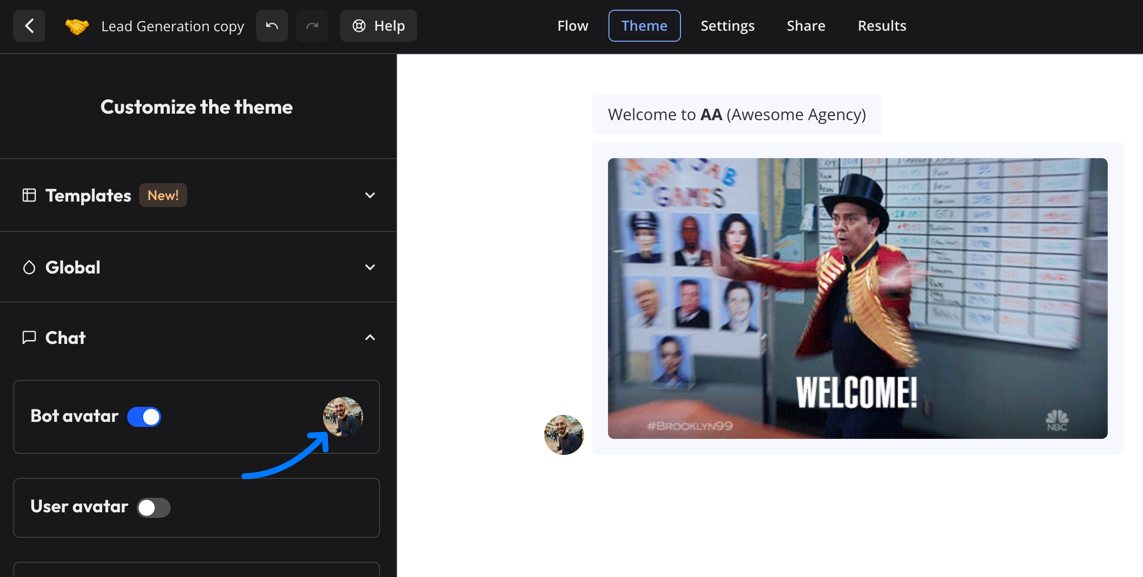
Click on the bot avatar to change the image:
Custom CSS#
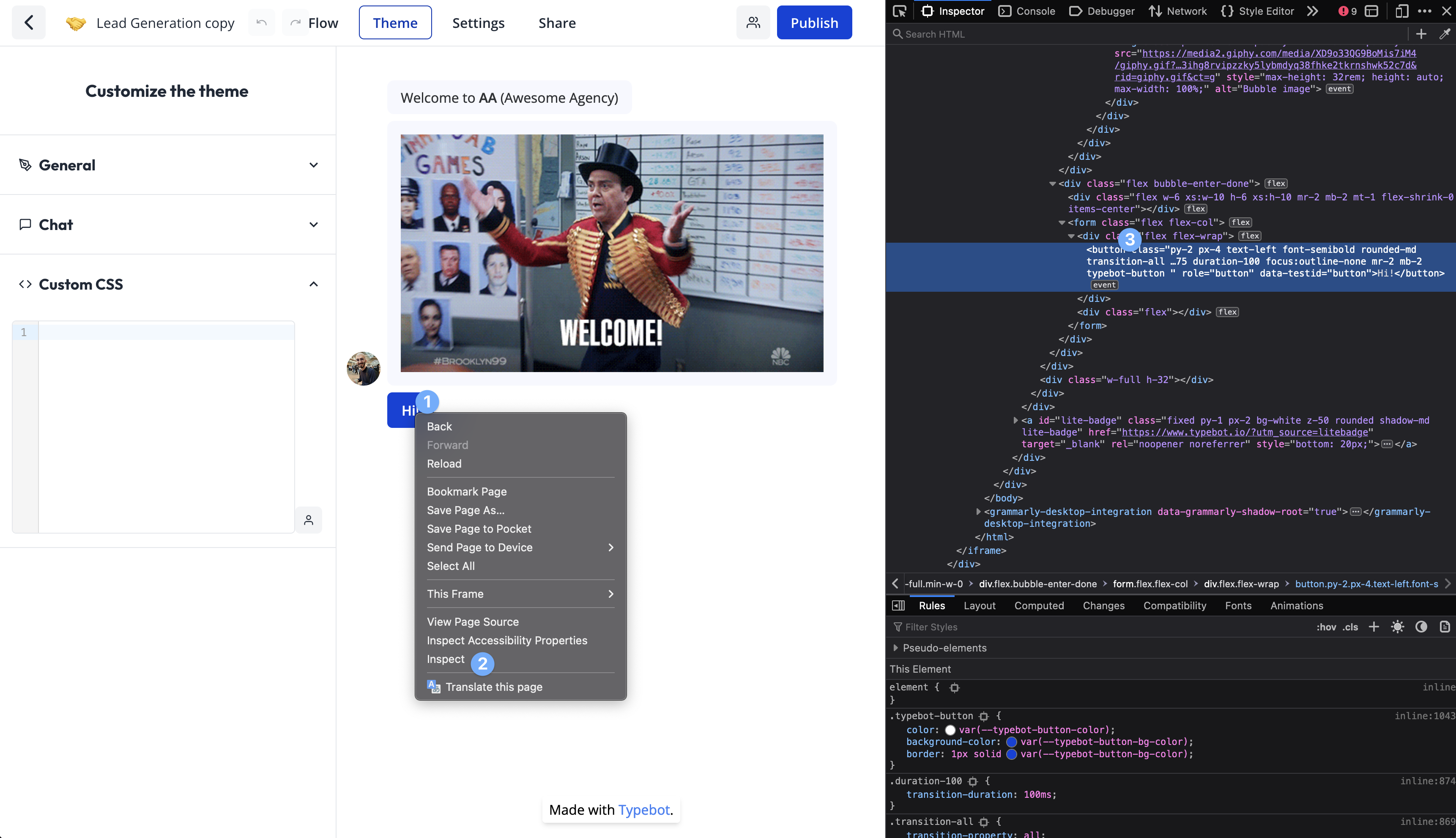
You can also decide to customize even further by adding any custom CSS you want. For this you right-click on the bot in the Theme page and inspect the element you want to customize:
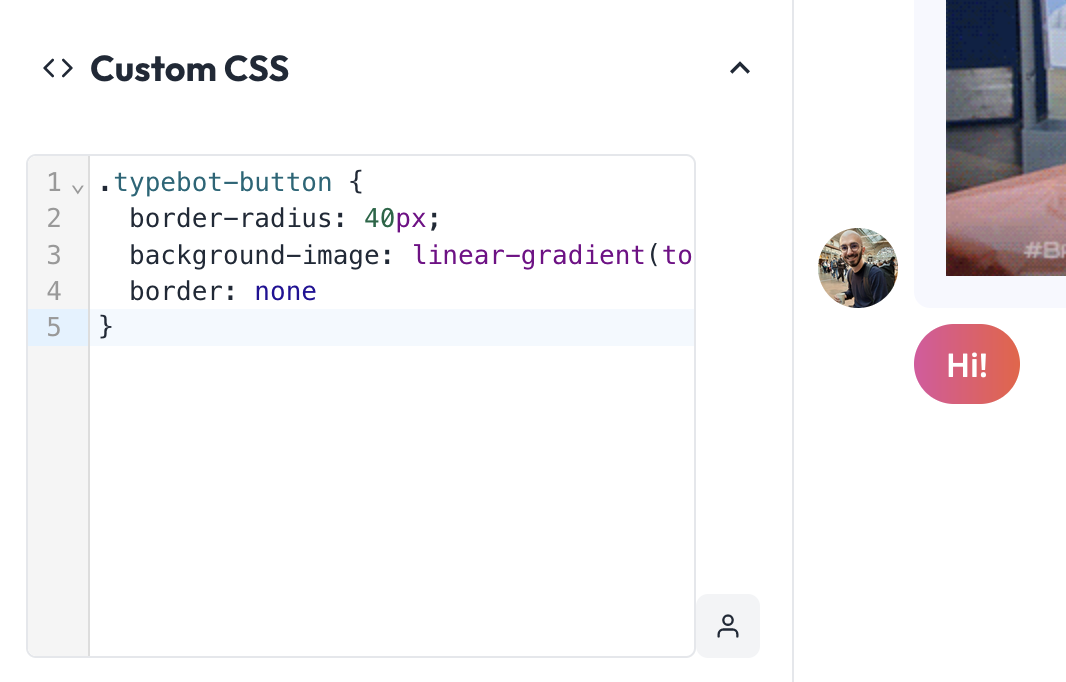
For example, if I want my buttons to be more rounded, and have a fancy gradient color, I can add this to the custom CSS:
.zapbot-button {
  border-radius: 40px;
  background-image: linear-gradient(to right, #e052a0, #f15c41);
  border: none;
}
Customize a single button color#
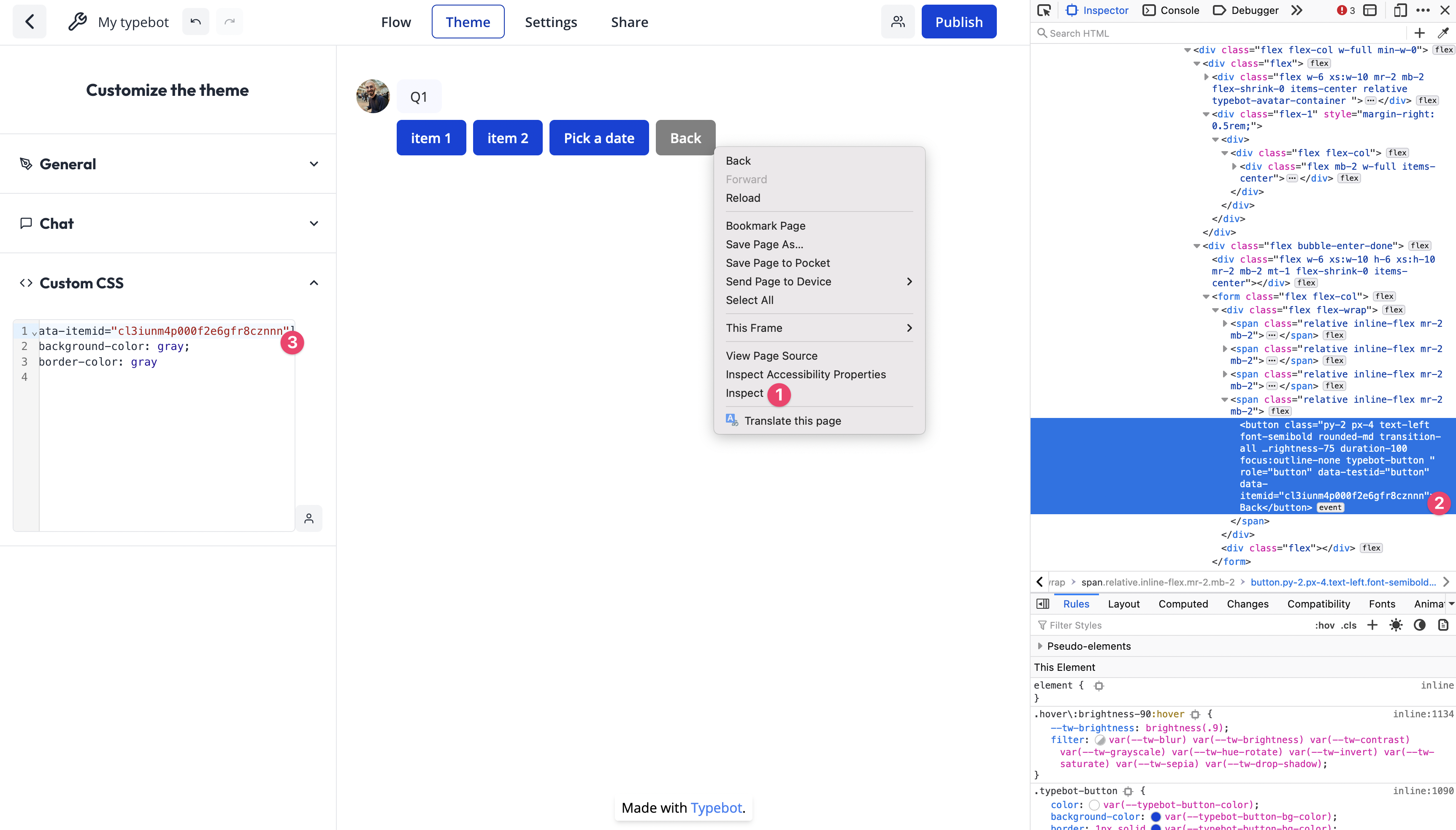
Thanks to custom CSS, you can customize the color of a single button for example by using the data-itemid attribute:
[data-itemid='cl3iunm4p000f2e6gfr8cznnn'] {
  background-color: gray;
  border-color: gray;
}
To find the item ID of a button, right-click on the button and inspect the element:
Video tutorial available in the Zapbot dashboard