Zapbot has a native WordPress plug-in that helps you embed zapbots in your WordPress site.
Of course, before using it, you need to create and publish your first zapbot.
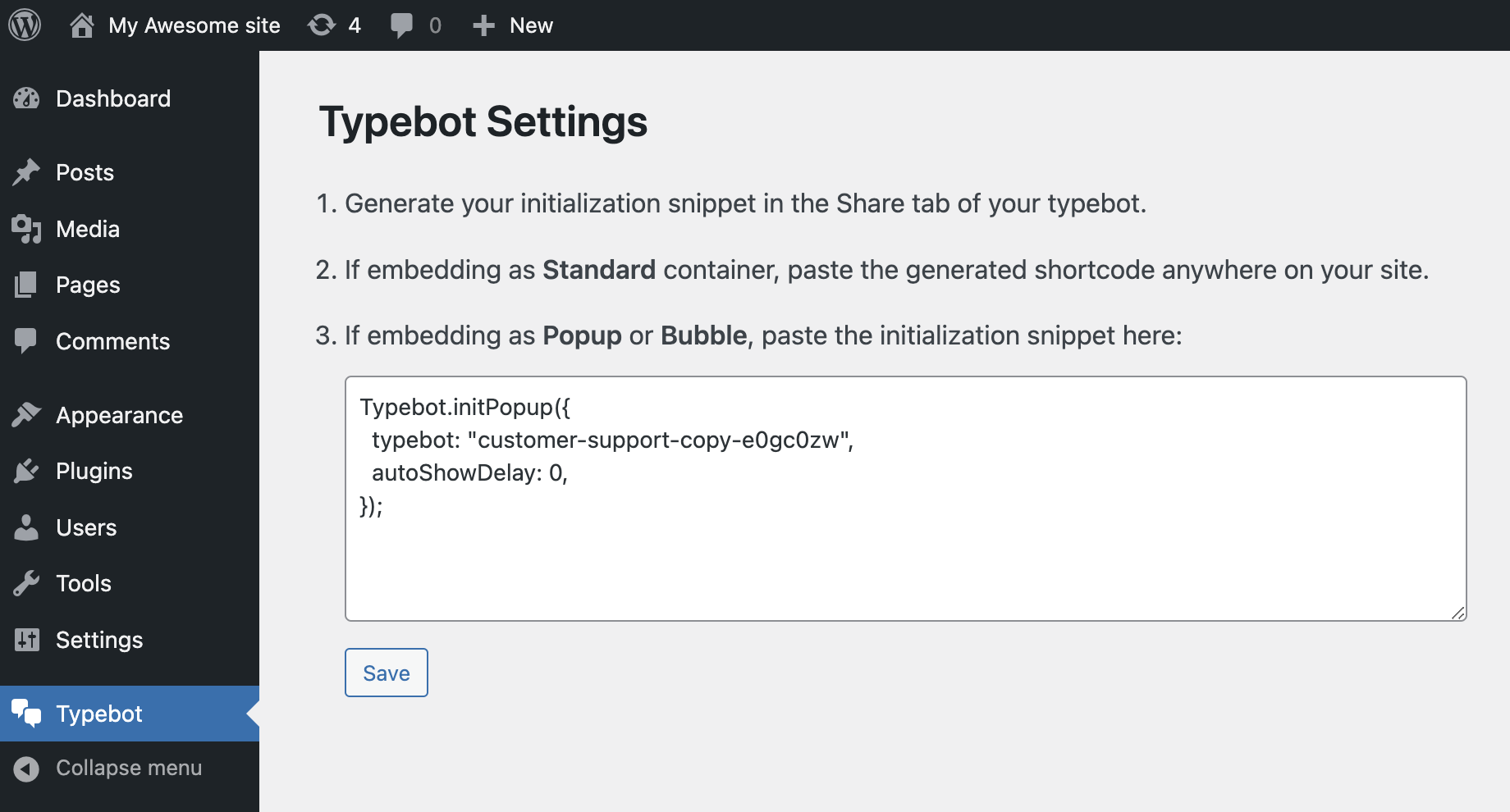
The code snippet to paste is easily configurable in the Share tab of your bot after clicking on the "Wordpress" button.
Excluded pages
The excluded pages input is a comma-separated list of pages where you don't want your zapbot to appear.
Examples:
/app/*will exclude all pages starting with/app//appwill only exclude the/apppage/app?param=1will only exclude the/apppage and with theparamquery parameter set to1/app?param=*will exclude the page at/appand with theparamquery parameter set to anything/app/*?param=*will exclude all pages starting with/app/and with theparamquery parameter set to anything
Personalize user experience
You can leverage the prefilled variables and inject your user information directly into your zapbot so that the experience is entirely customized to your user.
Here are the available variables from WordPress, make sure to create them in your zapbot's variables dropdown:
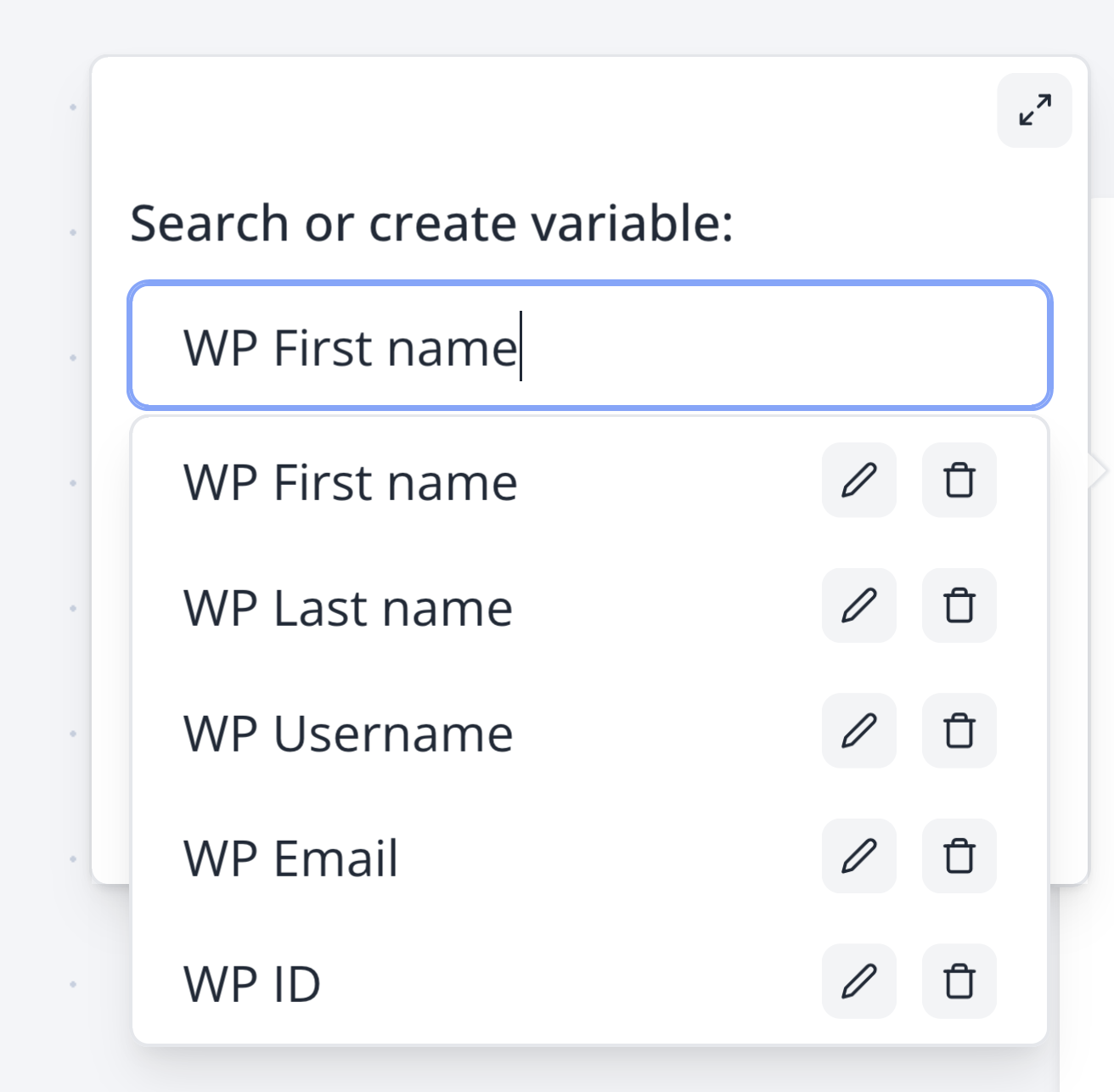
The only thing you need to do to enable this is:
- Use the Wordpress Zapbot plugin
- Have the variables declared in your Zapbot with the exact syntaxes. For the email for example, make sure your variable is spelled
WP Email. These won't work:wp Email,WP email.
Your zapbot isn't showing?
You have litespeed with "Localise Resources" enabled
There is an a box where there is a list of URLs it localises, one of them was 'https://cdn.jsdelivr.net'. This URL should be removed from it since it is used to import the embed library.
You have litespeed with cache enabled
Make sure to insert web.js and zapbot in the JS Excludes textbox and JS Deferred Excludes under Tuning Settings.
You have a cache plugin
Plugins like WP Rocket prevent Zapbot to work.
For WP Rocket:
- Go to Settings > WP Rocket > Excluded Inline Javascript:
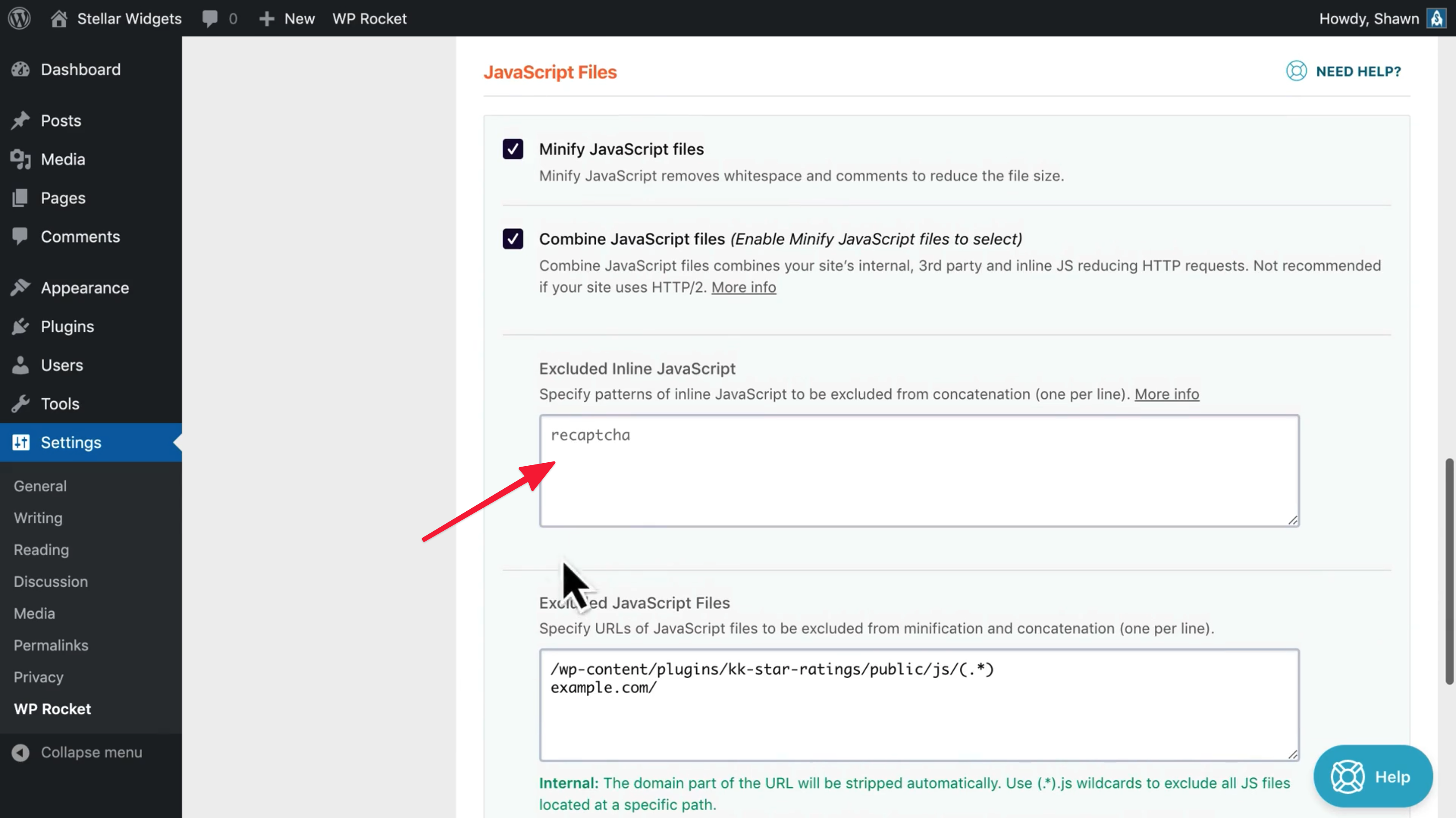
- Type "zapbot"
- Save
You have plugin that adds defer attribute to external scripts
You need to add an exception for Zapbot in the corresponding plugin config.
Still not working
Contact us through the support chat for assistance.